

Keep your AI /docs and Obsidian specs
in sync
Bidirectional sync between your Obsidian vault and local project folders. Your AI IDE reads fresh docs. You edit in Obsidian. Everything stays aligned.
The problem with AI + docs today
Your specs live in Obsidian. Your AI reads /docs. They drift apart.
Problem
AI IDE reads stale /docs
Solution
Local Sync keeps /docs fresh from your vault — always current.
Problem
Manual copy between Obsidian and repo
Solution
Auto-sync on change — watch mode keeps both sides updated without lifting a finger.
Problem
Afraid to let agents write to vault
Solution
Conflict resolution + dry-run preview + automatic backups before every overwrite.
How it works
Four steps. Two folders. Zero friction.
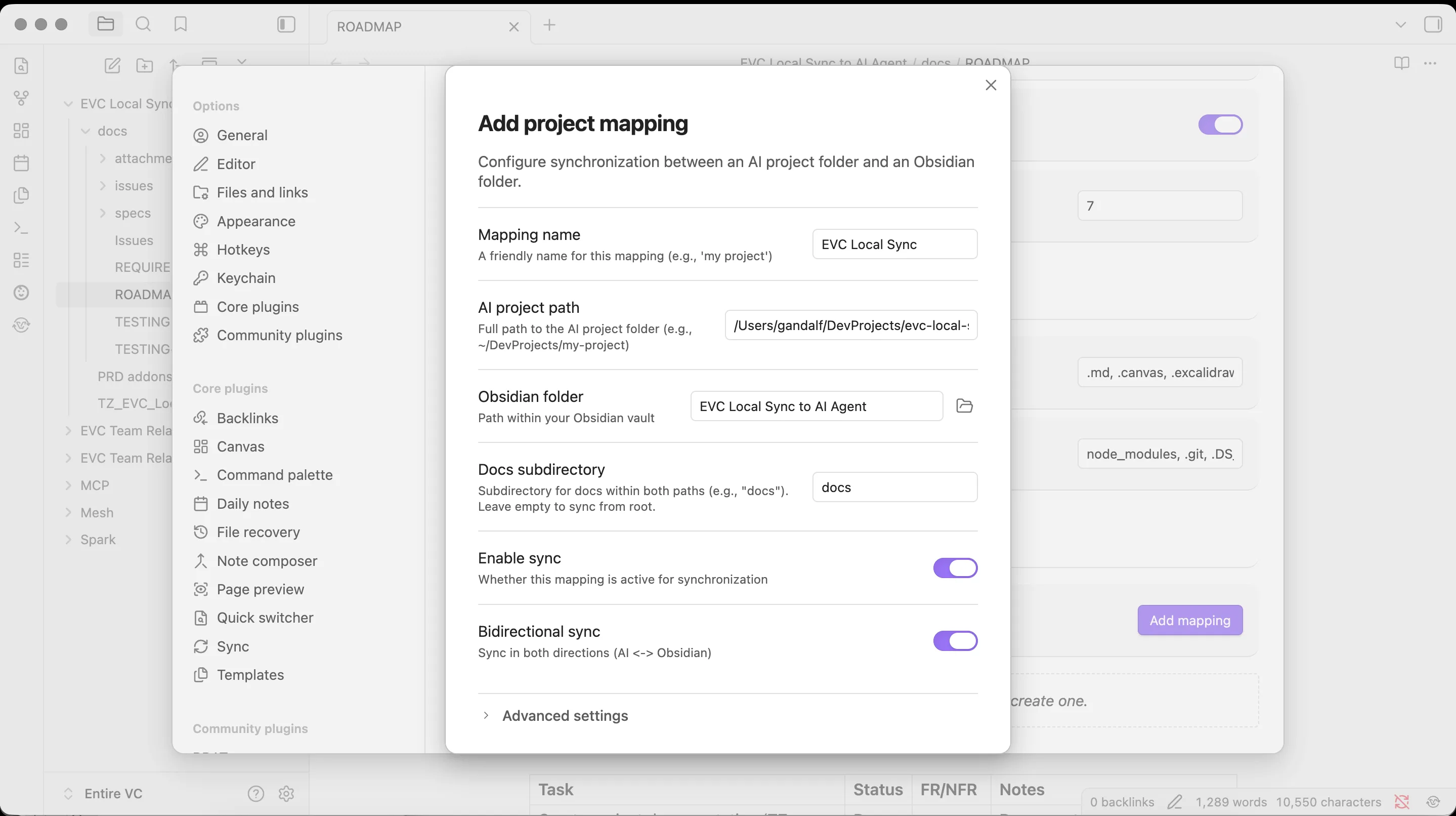
Map
Point vault folder ↔ external folder
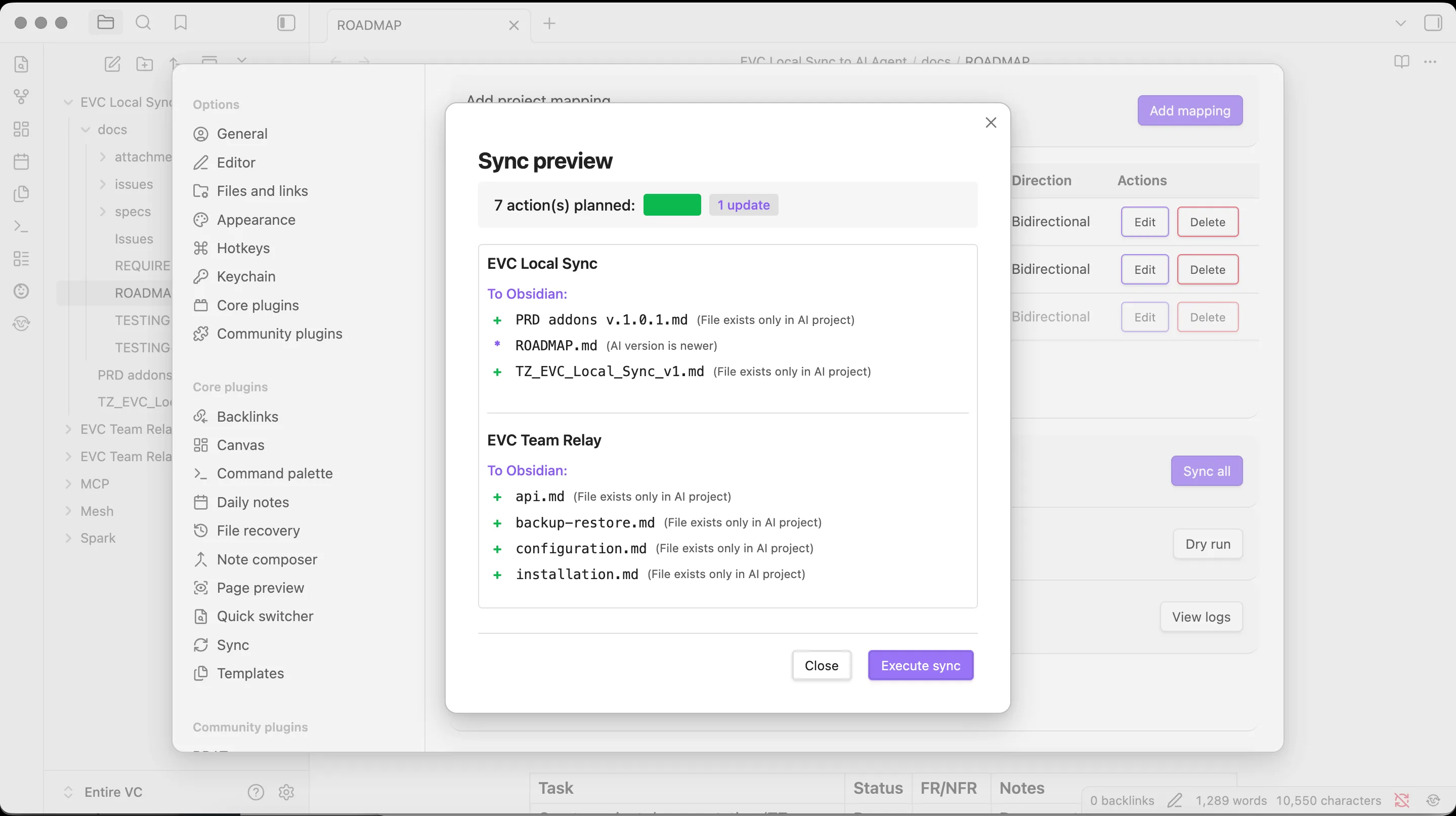
Sync
Run manually or enable auto-sync
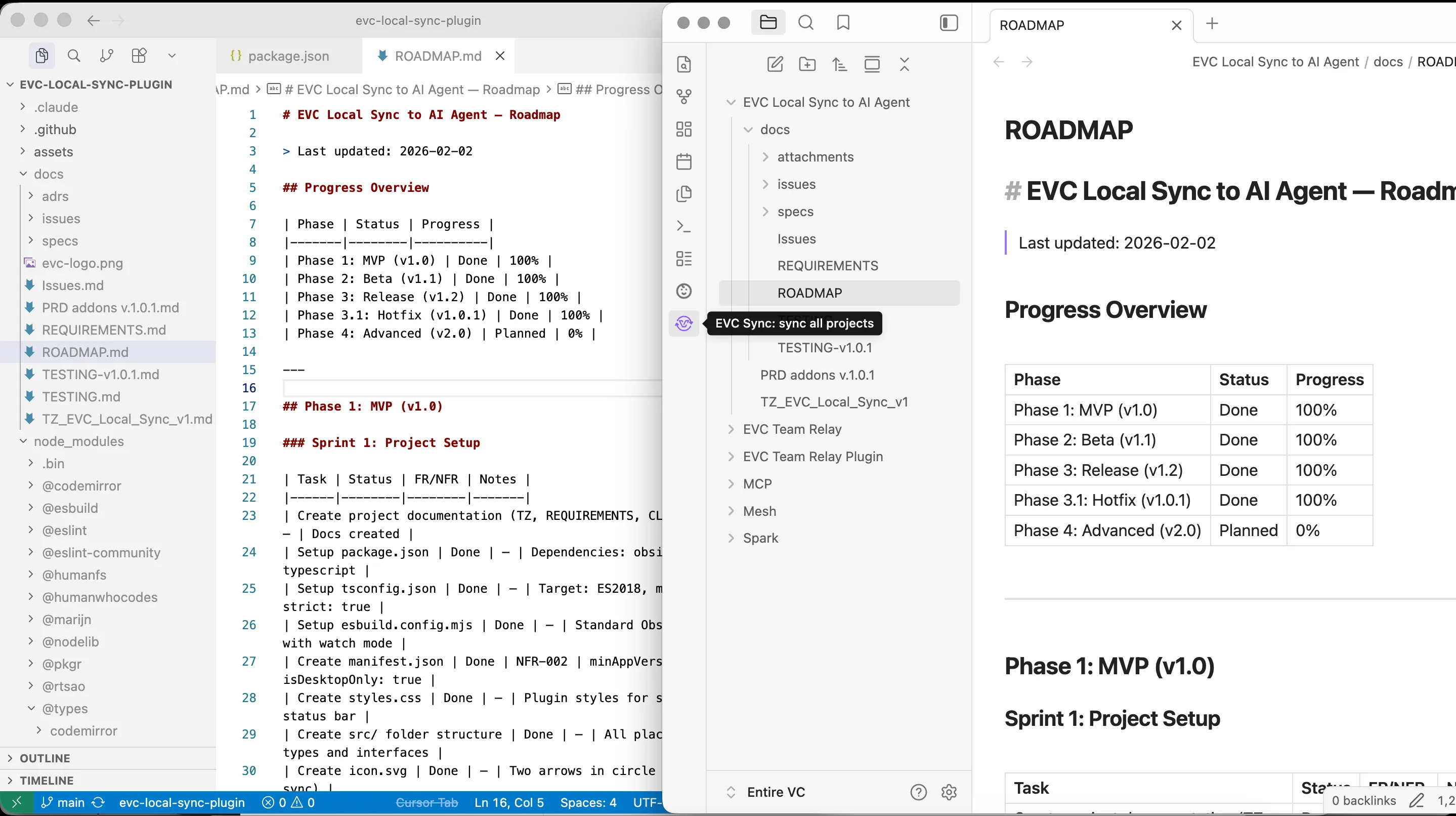
Edit anywhere
Obsidian or IDE — changes flow both ways
AI reads fresh context
Cursor, Claude Code, agents see current docs
See it in action
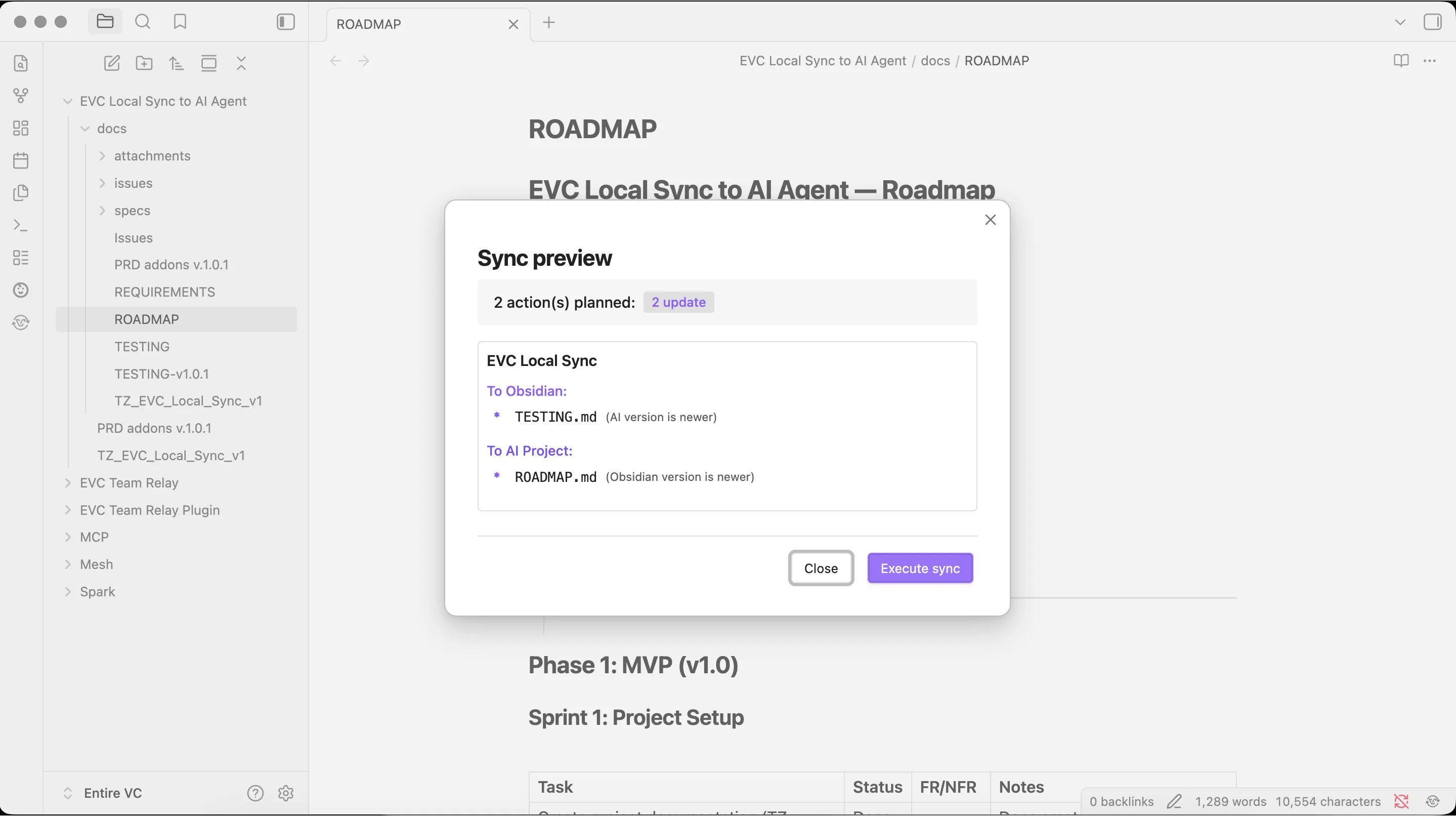
From setup to sync — the full workflow in 4 screens.
Get your AI workflow running in 5 minutes
Install the plugin, pick your AI tool, get pre-configured rules.
Install
Pending Community Plugins listing. Currently available via BRAT.
Pick your AI tool
## Documentation Sync Rules

This project uses EVC Local Sync to keep `/docs` in sync with an Obsidian vault.

### When working with /docs:
- Always read the current state of files in `/docs` before modifying
- After changes to specs or documentation, update the corresponding file in `/docs`
- Use clear commit messages referencing which doc was updated
- Do NOT delete files from `/docs` without explicit confirmation

### File structure:
- `/docs/PRD.md` — Product Requirements (source of truth in Obsidian)
- `/docs/architecture.md` — Technical architecture decisions
- `/docs/changelog.md` — Auto-updated changelog

### Sync behavior:
- Changes in `/docs` are automatically synced to Obsidian vault
- Changes in Obsidian are automatically synced to `/docs`
- Conflicts are resolved by keeping both copies (manual merge needed)---
description: Rules for working with /docs synced via EVC Local Sync
globs: docs/**/*.md
---
# Documentation Sync Rules
The `/docs` folder is bidirectionally synced with an Obsidian vault via Local Sync.
## Rules:
- Read `/docs` files before making changes to understand current state
- Update `/docs` when modifying project specs or architecture
- Never delete `/docs` files without explicit user confirmation
- Reference `/docs/PRD.md` as the source of truth for requirements## /docs Sync Rules
This project syncs /docs with Obsidian via EVC Local Sync.
- Read /docs before modifying specs
- Keep /docs updated when changing architecture or requirements
- /docs/PRD.md is the source of truth
- Never delete /docs files without confirmationGet the full Starter Pack
All configs + quickstart guide in one bundle. Free.
Features
Bidirectional sync
Vault to external and back. Changes flow in both directions.
Multiple mappings
Different projects, different folders. Map as many as you need.
Conflict resolution
Keep both, overwrite, or prompt. You decide the strategy.
Dry-run preview
See exactly what changes before syncing. No surprises.
Auto-sync
On change, on startup, on schedule. Set it and forget it.
Backup before overwrite
Files are never lost on conflict. Automatic backup every time.
How it compares
Local Sync vs the alternatives.
| Local Sync | Folder Bridge | Manual copy | Git submodules | |
|---|---|---|---|---|
| Bidirectional | ✓ | ✓ | ✗ | ✗ |
| Conflict resolution | 3 strategies | Basic | — | Merge conflicts |
| Auto-sync | ✓ | ✓ | ✗ | ✗ |
| Dry-run preview | ✓ | ✗ | — | — |
| AI workflow presets | ✓ | ✗ | ✗ | ✗ |
| Backup on overwrite | ✓ | ✗ | — | — |
Open source. MIT license. 100% local — your data never leaves your machine.