

Claude Code Obsidian notes —
always current, never pasted
EVC Local Sync mirrors an Obsidian vault into a Claude Code project's /docs folder and auto-places a CLAUDE.md file, so every session — main, subagent, or Plan Mode — reads your real specs, not a stale copy-paste.
Claude Code Obsidian notes are the specs, PRDs, and architecture decisions living in your vault, mirrored bidirectionally into a Claude Code project's /docs folder by EVC Local Sync. A CLAUDE.md file is auto-placed alongside it, so Claude Code already knows the folder exists and how to use it — no manual copy-paste into a prompt, no context that goes stale the moment you edit the vault.
Why Claude Code sessions drift from your specs
Your source of truth lives in Obsidian. Claude Code only ever sees what's on disk.
Problem
No CLAUDE.md pointing at your specs
Solution
Local Sync auto-places a CLAUDE.md during setup — Claude Code reads it the next session.
Problem
/docs goes stale the moment you edit the vault
Solution
Auto-sync on change keeps /docs current every time you save in Obsidian — the next session's read gets the real thing.
Problem
Subagent edits overwrite your notes
Solution
Conflict resolution + backup-before-overwrite means a Claude Code write never silently clobbers your vault.
What Local Sync places in CLAUDE.md
Scoped to your /docs folder, read automatically by Claude Code — main session, subagents, and Plan Mode alike.
## Documentation Sync Rules

This project uses EVC Local Sync to keep `/docs` in sync with an Obsidian vault.

### When working with /docs:
- Always read the current state of files in `/docs` before modifying
- After changes to specs or documentation, update the corresponding file in `/docs`
- Use clear commit messages referencing which doc was updated
- Do NOT delete files from `/docs` without explicit confirmation

### File structure:
- `/docs/PRD.md` — Product Requirements (source of truth in Obsidian)
- `/docs/architecture.md` — Technical architecture decisions
- `/docs/changelog.md` — Auto-updated changelog

### Sync behavior:
- Changes in `/docs` are automatically synced to Obsidian vault
- Changes in Obsidian are automatically synced to `/docs`
- Conflicts are resolved by the strategy set in the plugin settings (default: the newer file wins)Map your folders
Point a vault folder at your Claude Code project's /docs.
CLAUDE.md lands automatically
Local Sync places the sync rules where Claude Code already looks for project instructions.
Start Claude Code, it reads current docs
Main session, subagents, and Plan Mode all see the synced, up-to-date version.
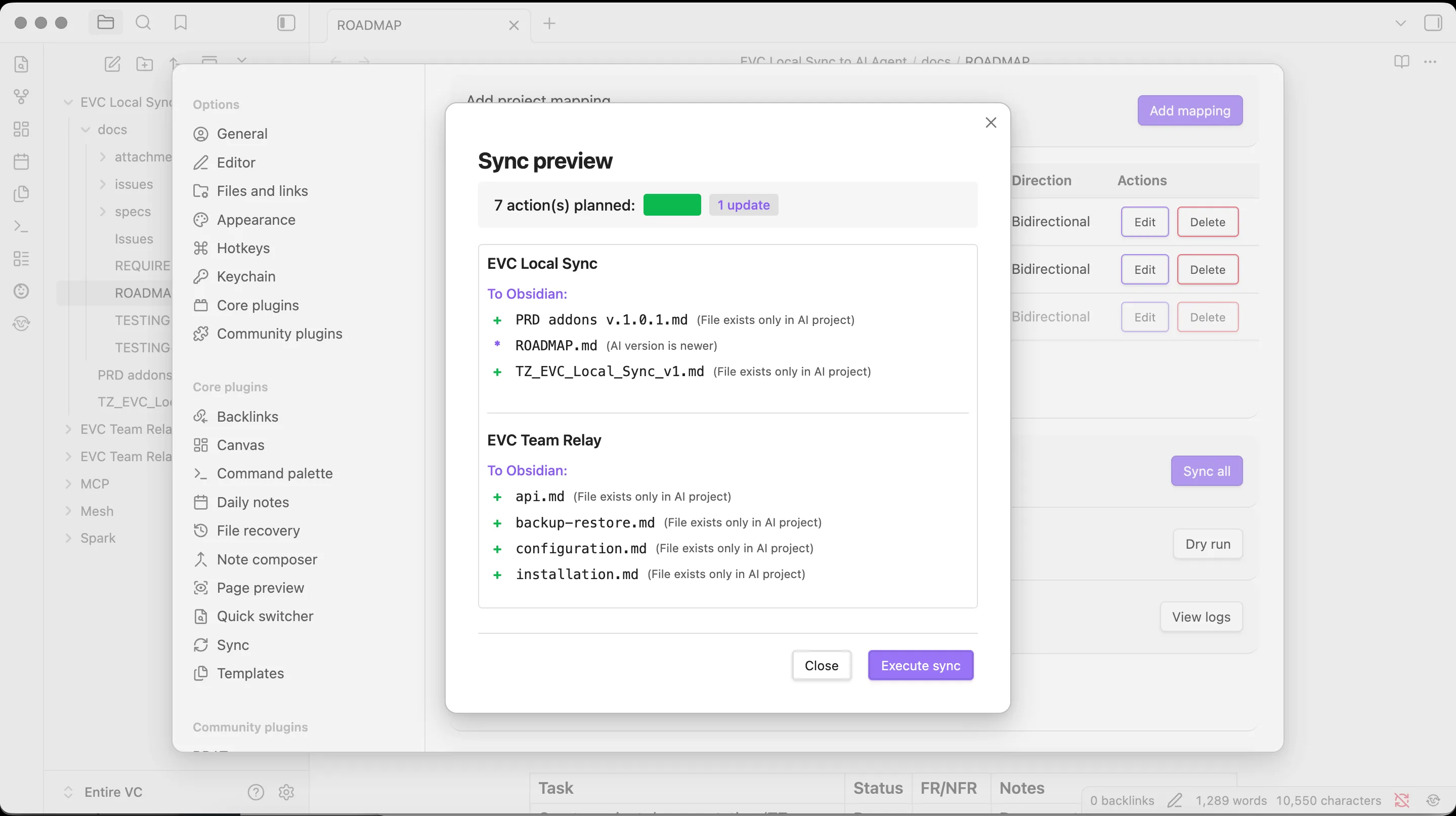
See the mapping before it syncs
Dry-run preview shows exactly what will change in /docs before Local Sync touches a single file.
Feeding Claude Code context — the options
| Local Sync | Manual copy-paste | Symlink /docs | |
|---|---|---|---|
Auto-configures CLAUDE.md | ✓ | ✗ | ✗ |
| Bidirectional (Claude Code edits flow back to vault) | ✓ | ✗ | OS-dependent |
| Conflict resolution | 4 strategies | — | — |
| Works across OSes without admin rights | ✓ | ✓ | ✗ |
| Cost | Free | Free (your time) | Free |
Claude Code Obsidian notes — FAQ
Common questions about syncing an Obsidian vault into a Claude Code project.
What are Claude Code Obsidian notes?
Claude Code Obsidian notes are the specs, PRDs, and architecture docs in your Obsidian vault that EVC Local Sync mirrors into a project's /docs folder — plus a CLAUDE.md file Local Sync auto-places so Claude Code already knows how to read and update them, in the same @-import format Claude Code itself expects.
Do I need to write my own CLAUDE.md?
No. Local Sync auto-places a CLAUDE.md (or a @-import block if you already have one) scoped to your /docs folder during setup, so Claude Code picks up the sync rules the next session it opens the project. You can edit it afterwards like any other project file.
Does this work with Claude Code subagents and Plan Mode?
Yes. Subagents and Plan Mode read the same project files as the main session — /docs and CLAUDE.md are ordinary files on disk, so anything that reads project context (main session, subagents, background tasks) sees the synced, current version.
Does Obsidian need to be open for the sync to happen?
No. Local Sync runs as an Obsidian plugin independent of Claude Code. Enable auto-sync and edits land in /docs whenever you save in the vault — Claude Code just reads whatever is on disk the next time it starts a session or re-reads a file.
What if I already have a CLAUDE.md with other instructions?
Local Sync appends an import block (or a dedicated docs-sync section) to your existing CLAUDE.md without overwriting your other instructions — Claude Code merges @-imported files, so your existing rules keep working alongside the sync rules.
Is this different from the main Local Sync plugin page?
No — it's the same free, MIT-licensed plugin. This page focuses specifically on the Claude Code setup; see the main Local Sync page for the full feature set, including Cursor and Windsurf configuration.
Set up Claude Code Obsidian sync in 5 minutes
Install the plugin, map your folders, and every Claude Code session starts reading current context.